> For the complete documentation index, see [llms.txt](https://support.tiger.com/llms.txt). Markdown versions of documentation pages are available by appending `.md` to page URLs; this page is available as [Markdown](https://support.tiger.com/english/connections/crypto-exchanges/hyperliquid.md).
# Hyperliquid
{% hint style="success" %}
**Starting with version 7.2, the Tiger.com terminal adds support for the Hyperliquid decentralized exchange, with full trading functionality on both spot and futures markets.**
{% endhint %}
## Phase 1: Wallet Setup and Activation
#### Step 1. Navigate to the Hyperliquid Platform
1. Open the **Hyperliquid** exchange website.
2. Click the **«Connect»** button.
3. In the window that appears, select the **SafePal** protocol.
4. ***Note*****:** This guide demonstrates the connection process using **SafePal** as an example.
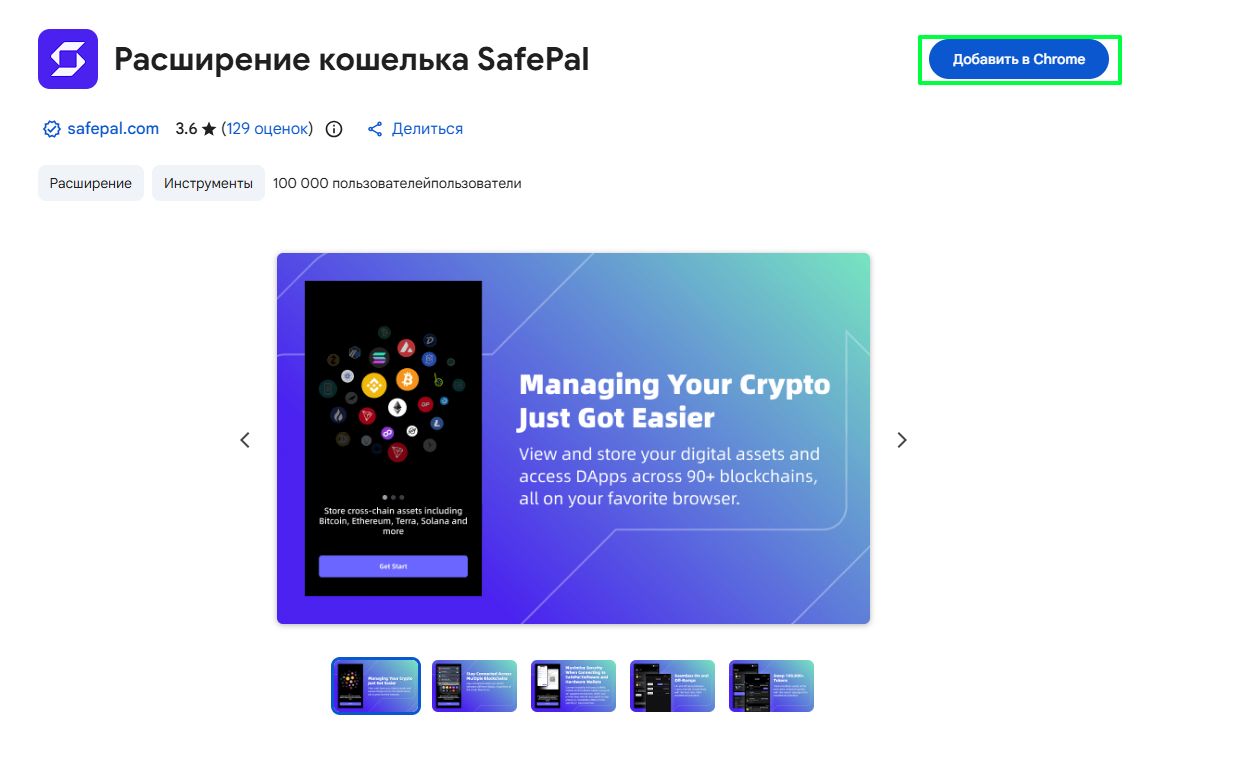
#### Step 2. Install the SafePal Extension
1. Install the **SafePal Wallet** extension for the Chrome browser.
2. Add the extension to your browser and log in.
#### Step 3. Create a New Wallet
1. In the extension interface, click **«Get Started»** → **«Create Wallet»**.
2. Create a strong password, enter it twice, and click **«Next»**.
#### Step 4. Generate Seed Phrase ⚠️
1. Click the **«Generate»** button.
2. The system will display your **seed phrase** (12/15/18/21/24 words).
> **❗ Critical:**
>
> * Save the phrase in a secure location.
> * Do not take screenshots or share the phrase with third parties.
> * This phrase will be required to connect the Tiger.com terminal to the exchange.
#### Step 5. Advanced Settings
1. Navigate to the **«Advanced Settings»** section.
2. In the input field, enter the seed phrase words **strictly in the correct order**, separated by single spaces.
3. **Recommendation:** For convenience, save the phrase in a text file beforehand using the format:\
`word1 word2 word3 ... wordN`
4. Repeat the entry in the second field for confirmation and click **«Confirm»**.
#### Step 6. Confirm Seed Phrase
1. In the **«Create Wallet»** window, click **«Next»**.
2. Arrange the words in the correct order according to your saved phrase.
3. Confirm the action.
#### Step 7. Finalize Wallet Creation
1. Create and enter a name for your wallet (e.g., *My Trading Wallet*).
2. Click **«Confirm»** → **«Next»** → **«Got it»**.
> ✅ **Wallet successfully created and ready for use.**
#### Step 8. Connect Wallet to Hyperliquid
1. Return to the **Hyperliquid** website.
2. Click **«Connect»** again.
3. Select your newly created **SafePal** wallet and confirm the connection.
#### Step 9: Fund Deposit
> 🛑 **CRITICAL:**��\
> Without the minimum deposit, data **cannot be displayed correctly** and trading operations **cannot be executed** on Hyperliquid.
#### 🔹 Why This Is Mandatory:
| **Reason** | **Consequences If Ignored** |
| ----------------------------------- | -------------------------------------------------------------------------- |
| 💰 Minimum balance:10$ | Parsing errors, empty order book, inability to open positions |
| ⏱️ Blockchain confirmation required | Orders may fail to execute or display with delay |
| 🔗 Sync with Tiger.com | If balance is not visible on Hyperliquid — it won't appear in the terminal |
**Instructions:**
1. Ensure your **SafePal wallet is connected** to the Hyperliquid website.
2. On the main page, click the **«Deposit»** button in the **bottom-right corner**.
3. In the window that appears, fill in the fields:
Field
Value
Asset
Select asset: USDC or USDT (recommended)
Network
Select network: Arbitrum One (or as shown on the website)
Amount
Enter amount: ≥ $10
4. Click **«Deposit»** and approve the transaction in the SafePal wallet popup.
5. **Verify your balance** in the Hyperliquid web interface under **Portfolio → Balances** — only then proceed to connect to the Tiger.com terminal.
***
## Phase 2: Integration with Tiger.com Terminal
#### Step 10. Configure Connection in Tiger.com
1. Open the **Tiger.com** terminal.
2. Navigate via the following path:\
**File → Connections → New Connection → Crypto Exchanges → Hyperliquid**
#### Step 11. Enter Credentials (if we enter using the seed phrase)
In the window that appears, enter the **seed phrase** in the exact same format used during wallet creation:
* Words in the correct order (1→N)
* Separated by single spaces only
* No extra characters or line breaks
#### Step 12. Selecting a Market Data Source (DOM)
Here, you select the order book type for receiving market data:
**Public (order book)** - a standard order book, available to all users;
**Private (deep order book)** - an expanded order book with increased data depth.
#### 📌Important information:
Availability of Private depends on the connection method:
1. **Connection via Tiger.com Broker:**
* You can choose between Public and Private;
* To use Private, you must have an account balance of at least $500;
* If the balance is less than $500, the system will automatically switch to Public.
2. **Connection via Tiger.com Terminal:**
* Public is available ONLY;
* The Private option is not displayed in the selection list.
3. **View-Only Mode**:
* Public is available ONLY;
* The Private option is not displayed in the selection list.
> 📝Note: The Market Data server field is available with any authorization method (Seed phrase or API keys).
Click **"Connect to Hyperliquid" (step 19 - only if you are connecting using a seed phrase).**
#### Step 13. Navigate to the Hyperliquid configuration page (if you chose to log in using API keys)
In the connection form, click the link at the bottom of the window to go to the Hyperliquid configuration page on the tiger.com website.
#### Step 14. Connecting the wallet
On the Hyperliquid page, click the "Connect wallet" button and connect the wallet you will use for trading.
After a successful connection, the status "Connected" along with your wallet address will appear in the "Connect wallet" section.
#### Step 15. Builder fee approval
After connecting your wallet and verifying your Hyperliquid account, click the "Approve builder" button in the "Builder fee approval" section to confirm the integrator fee.
> 💡 Information:
>
> * A single signature allows the builder to charge a fee of up to 0.02% per order;
> * Requires no gas;
> * Can be revoked at any time.
#### Step 16. Signing the transaction
In the wallet window that appears, sign the transaction to confirm the authorization.
The window will display:
* Tiger.com — Enable trading;
* Network: Hyperliquid Mainnet;
* Maximum fee: 0.02%.
Click the "Sign" button in your wallet.
#### Step 17. Completing the setup on the page
After successful signing, a confirmation with a green checkmark will appear in the "Builder fee approval" section:
* Status: "Approved for \[address] — max fee 0.02% per order";
* "Re-approve" and "Revoke" buttons will appear.
Trading key for the terminal: create an API wallet at app.hyperliquid.xyz/API
#### Step 18. Completing the connection in the terminal
Return to the terminal and fill out the form:
* API Private Key – the private key from app.hyperliquid.xyz/API;
* Wallet Address or Seed Phrase;
* Builder Address – the builder address.
Click **"Connect to Hyperliquid".**
#### Step 19. Completion
> ✅ **Done!** The **Hyperliquid** exchange has been successfully connected to the **Tiger.com** terminal.
---
# Agent Instructions
This documentation is published with GitBook. GitBook is the documentation platform designed so that both humans and AI agents can read, navigate, and reason over technical content effectively. Learn more at gitbook.com.
## Querying This Documentation
If you need additional information that is not directly available in this page, you can query the documentation by asking a question.
Perform an HTTP GET request on the following URL with the `ask` and `goal` query parameters:
```
GET https://support.tiger.com/english/connections/crypto-exchanges/hyperliquid.md?ask=&goal=
```
`ask` is the immediate question: it should be specific, self-contained, and written in natural language.
`goal` is what the user is ultimately trying to achieve, the reason they need the answer. Sharing it helps GitBook give you a better, more relevant answer. A goal is most helpful when it describes the outcome the user wants rather than restating the question. For example, with `ask=how do I create an API token`, a goal like `automate deployments from our CI pipeline` lets GitBook tailor the answer to that use case.
The response will contain a direct answer to the question and relevant excerpts and sources from the documentation.
Use this mechanism when the answer is not explicitly present in the current page, you need clarification or additional context, or you want to retrieve related documentation sections.